Bringing enriched and simplified E-Sign experience across devices
E-Sign
Simple and secure electronic signatures
E-Sign is Avanquest's electronic signature solution. It enables easy self-signing of documents, as well as legally-binding signing of business contracts between two or more parties. From anywhere, on any device.

My role
Quantitative and qualitative research, IA, UI, prototyping, dev handoff
Partners
PM, engineering, legal, marketing, support
Project impact
Initial results from the E-Sign redesign showed
25%
reduction in time it took users to create a new E-Sign package
31%
drop in interface-related inquiries received by support
70%
raise in trial account creation through this flow
Background
Electronic signatures are used across business, personal, and legal sectors to securely authorize contracts, agreements, and approvals. Having the ability to both sign and request a signature greatly synergizes with everything Soda PDF offers as a product. However, while a user could sign documents on any device, the functionality to create a signature request (a document package to be signed) was only available through the desktop application.
With the positive results results from the Soda PDF modernization, the natural next step was for E-Sign to follow suit. I was tasked to improve on the current experience and bring a more complete set of E-Sign features across all devices. Enhancing the mobile offering would help expand the product's reach, even though document creation on that form factor remained more of a niche task.
Challenges
- turn a series of complex flows into a more intuitive experience and optimize the interface to increase awareness of certain E-Sign features for both new and existing users
- improve integration of the signing process to boost creation of new trial accounts for users not yet part of the Soda PDF ecosystem
- fully bring E-Sign to mobile, both in terms of signing and creating document envelopes
- align design, development and legal to account for international requirements and ensure binding legality of the e-signatures
Process
I started by familiarizing myself with all elements of our current E-Sign solution, and then studying those offered by competitors like Adobe, Docusign, Foxit and others. Then, with the help of AI, I prepared a synthesis on the differences between the most popular electronic signature service offerings from user opinions online. I compared that with my own findings.
My next step was to interview users within and without of Avanquest about their experiences with Soda E-Sign; identify their pain points and frustrations, in-demand features we are missing, as well as any elements they especially liked. At this stage, it became apparent that the current version of E-Sign was not doing an adequate job making users aware of certain features it offered.
With these findings and a rough plan of the direction I intended to take, I met with our dev team to identify potential technical limitations. From those cross-team meetings I learned a lot about the behind-the-scenes side of e-signatures, including chain of custody and what is required to make a signature internationally legality binding - something that otherwise I would have missed until late in the design process.
Design system and components
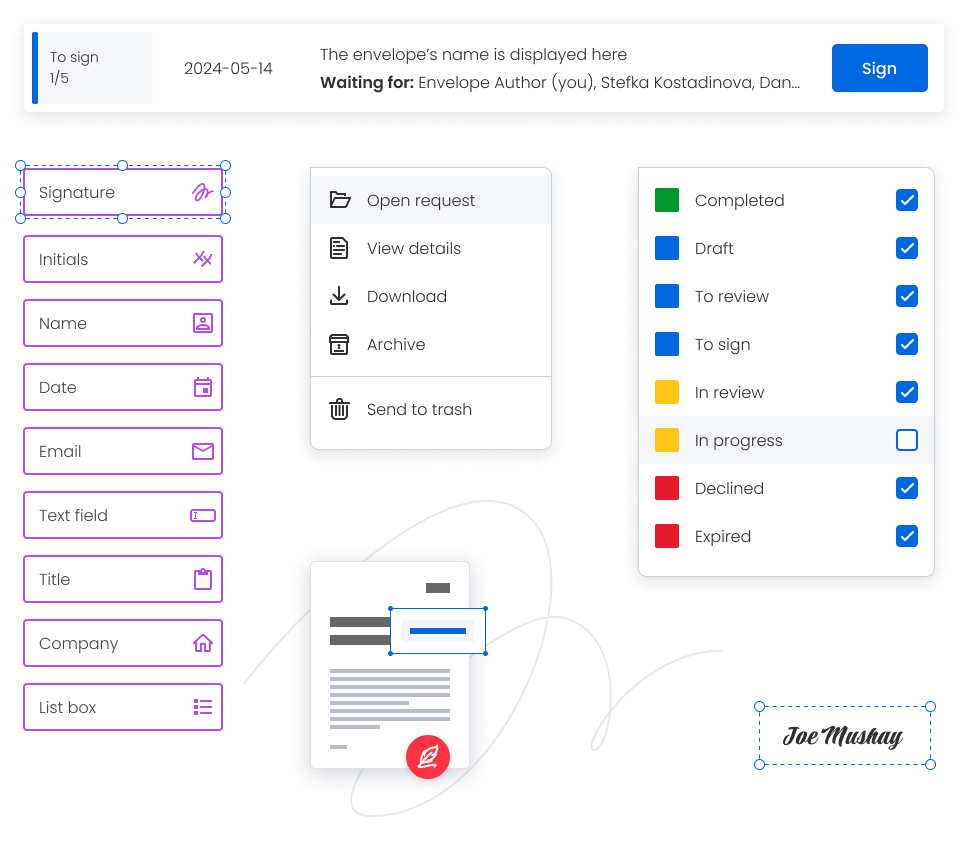
With one of the main objectives of this project being to better integrate E-Sign into the Soda PDF ecosystem, the design system I previously established for Soda PDF was of great benefit. Some new additions were required, but they were mostly limited to elements like forms and icons. This left more time for improving user flows and other elements of the design.
Delivering a better inbox
A topic that came up numerous times in user feedback and during interviews was the ability of users who send and receive large amount of signature requests (lawyers, HR professionals...) to track and manage the progress of their signature packages. Delivering improvements in that area became a key goal of the E-Sign redesign.
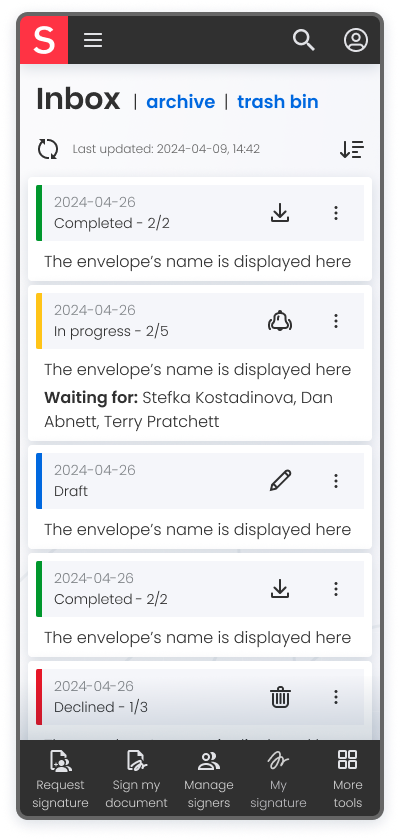
The new version had to render clearer how far along each package was in the process. It had to make it simpler to identify issues with the signing progress, and more convenient to find specific envelopes.
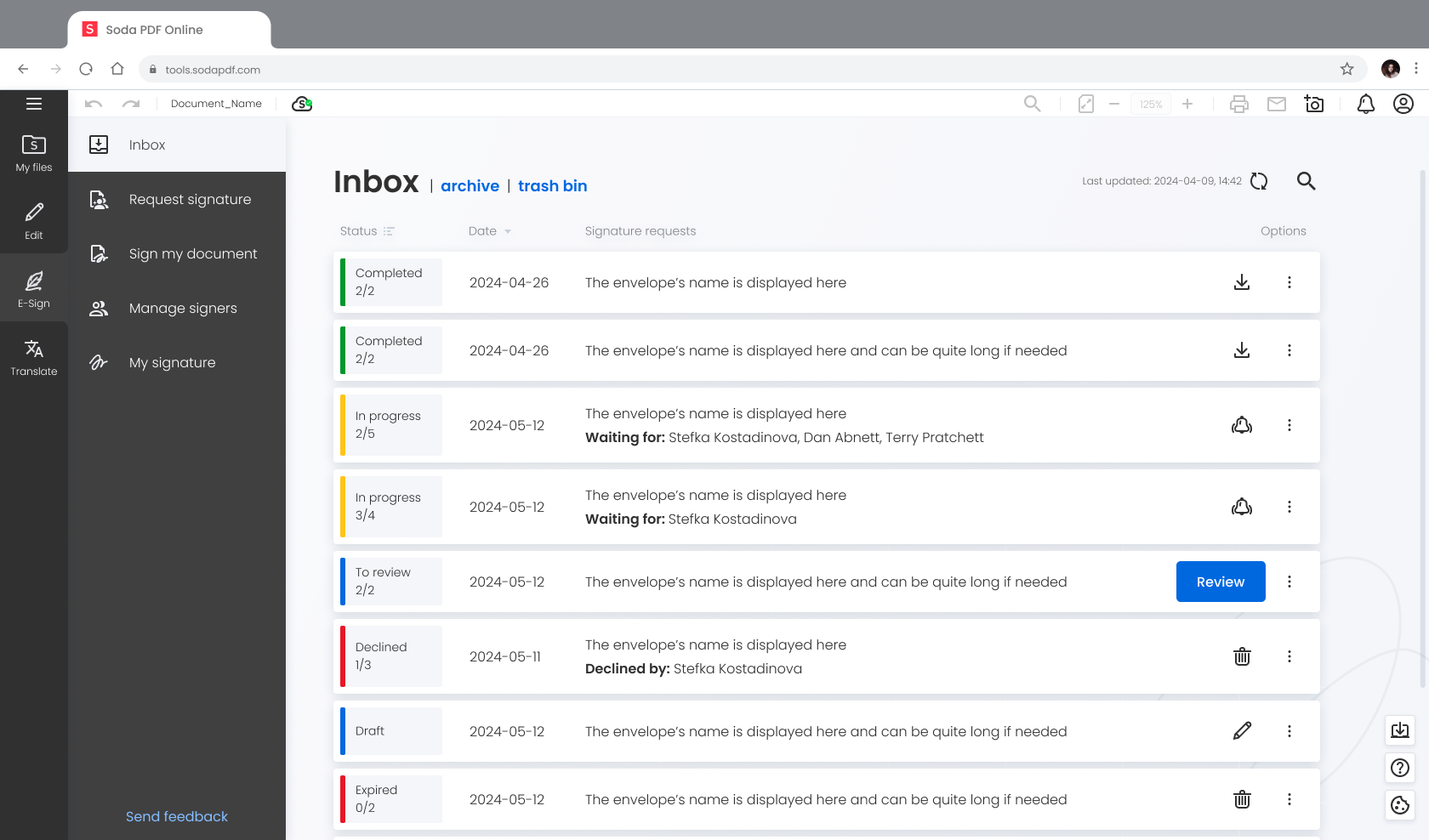
To ensure all of that could be presented in an easy to digest manner, I introduced:
- searching by participants in addition to envelope name
- directly displaying users who are key to certain progress stages, without having to first open the envelope
- more granular filters, improved sorting by status and dates
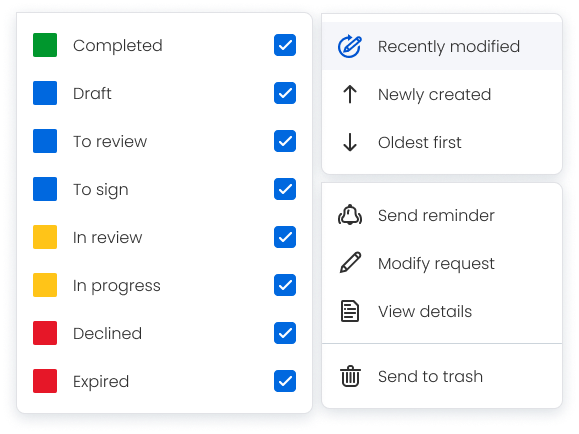
- intuitive, color-coded tags to represent the different states of the signature envelopes
When it came to the tags delineating each envelope's state, my first impulse was to feature a distinct color for each one of them. However, it quickly became that this decreased scannability. I reduced the number colors from eight to four - to illustrate if the envelope was complete, if it required the user's action, if the process was waiting on somebody else, or if it was impossible to finish.
Managing a list of signers
Another pain point for our users was the difficulty of managing their saved signers.
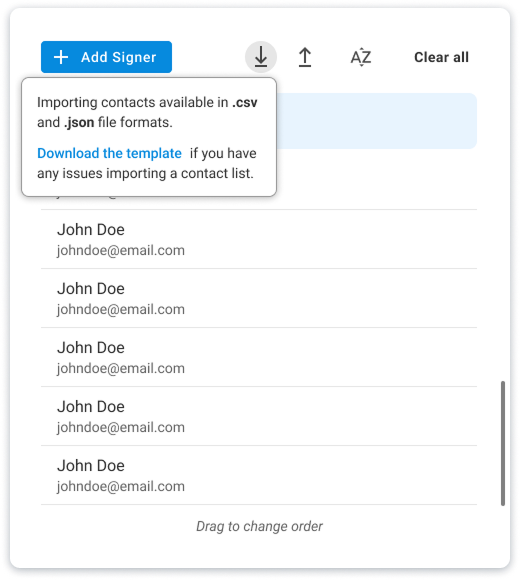
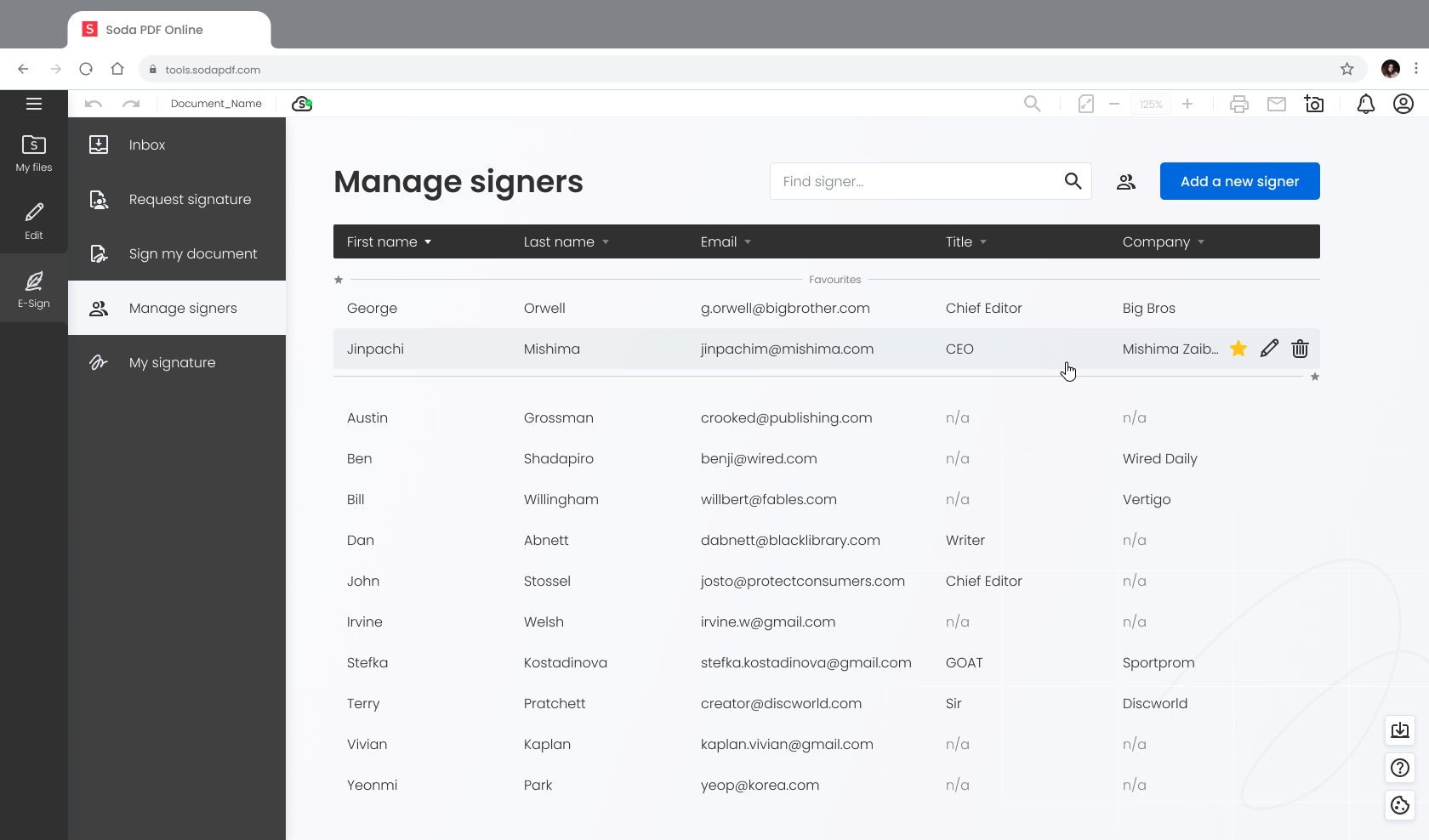
The old signers' list was designed to fit in a small modal window. Sorting it was limited to alphabetical order and there was no search functionality. Even though each entry could also contain a contact's title and company name, there was no way to sort by or even see those without first clicking to open the individual entries.
That version straddled the line between a temporary list created for each individual signature envelope, and a permanent one where users could save their most frequent contacts. It had ended being sub-par for both uses.
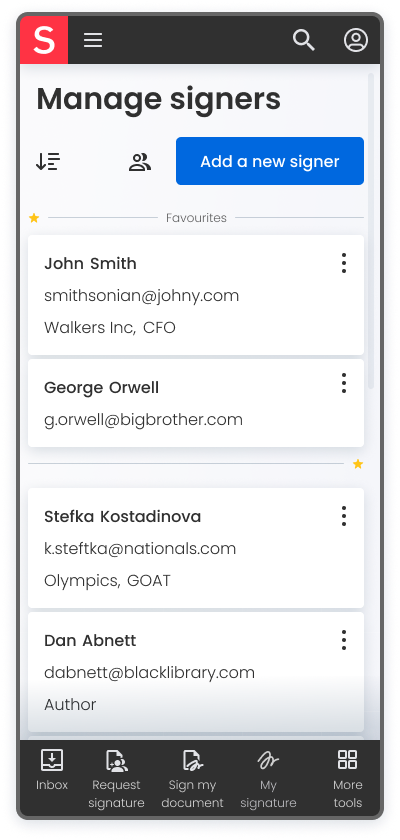
To addressed those issues and further improve the experience, I added a proper search, the option to mark certain singers as "favorites", and gave the list the appropriate space to display important information at a glance.
Revamping signature request creation
The procedure of creating and sending a signature envelope received significant improvements. I paid special attention to introducing greater clarity and flexibility to the process.
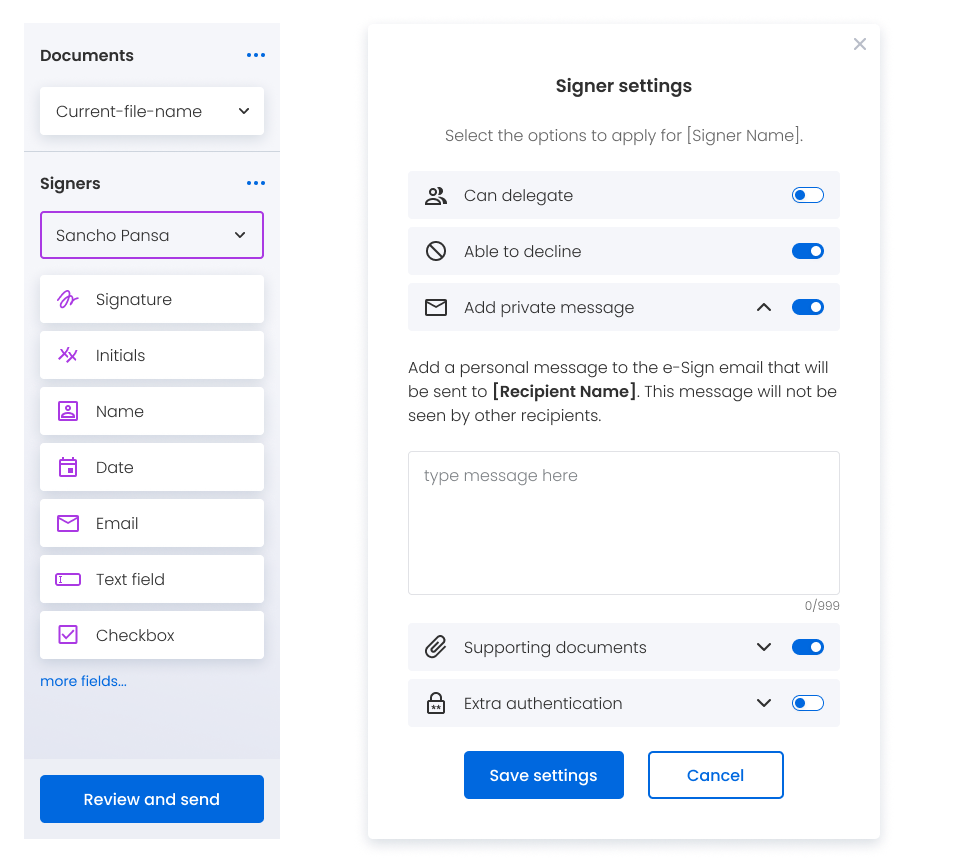
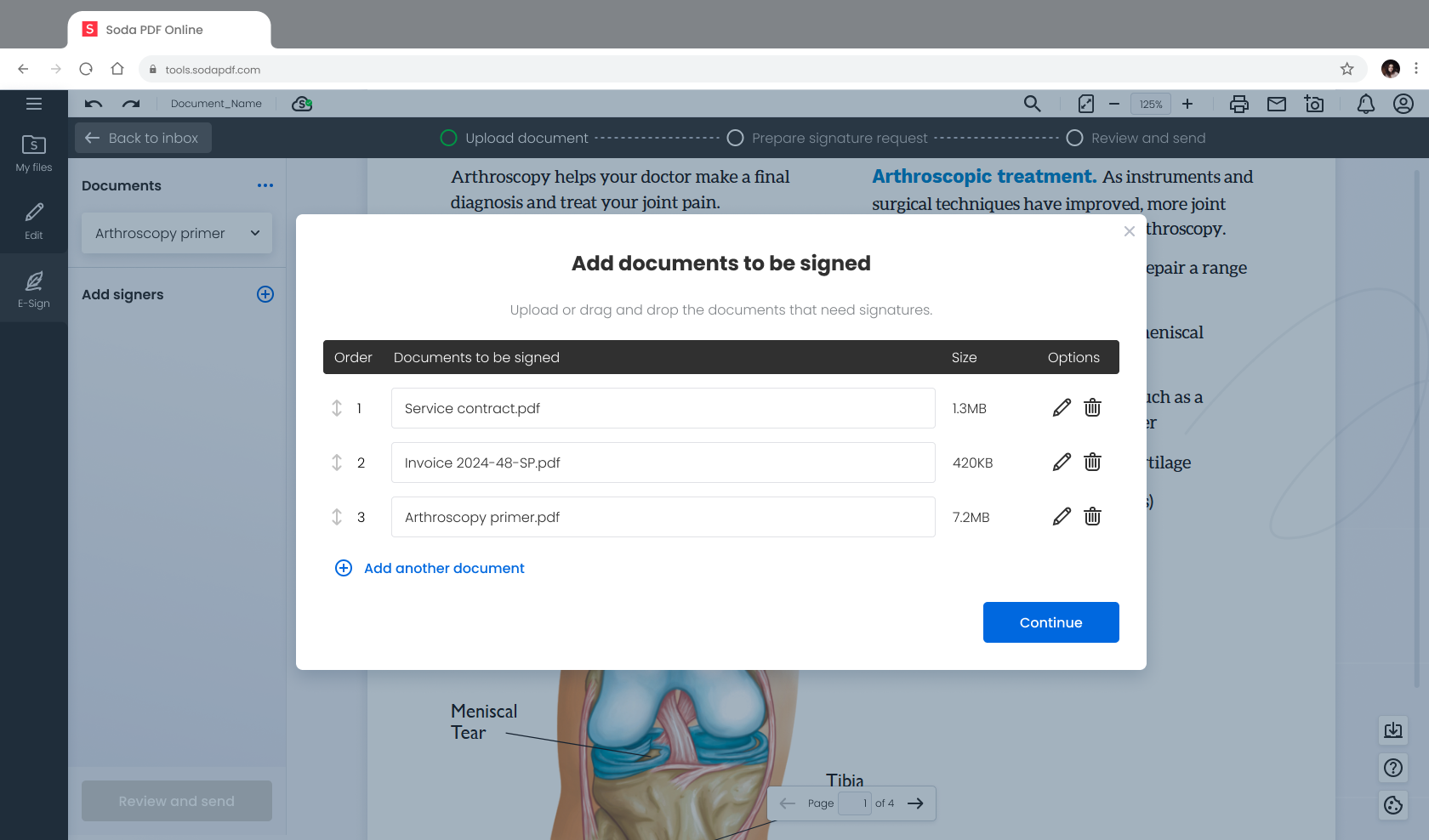
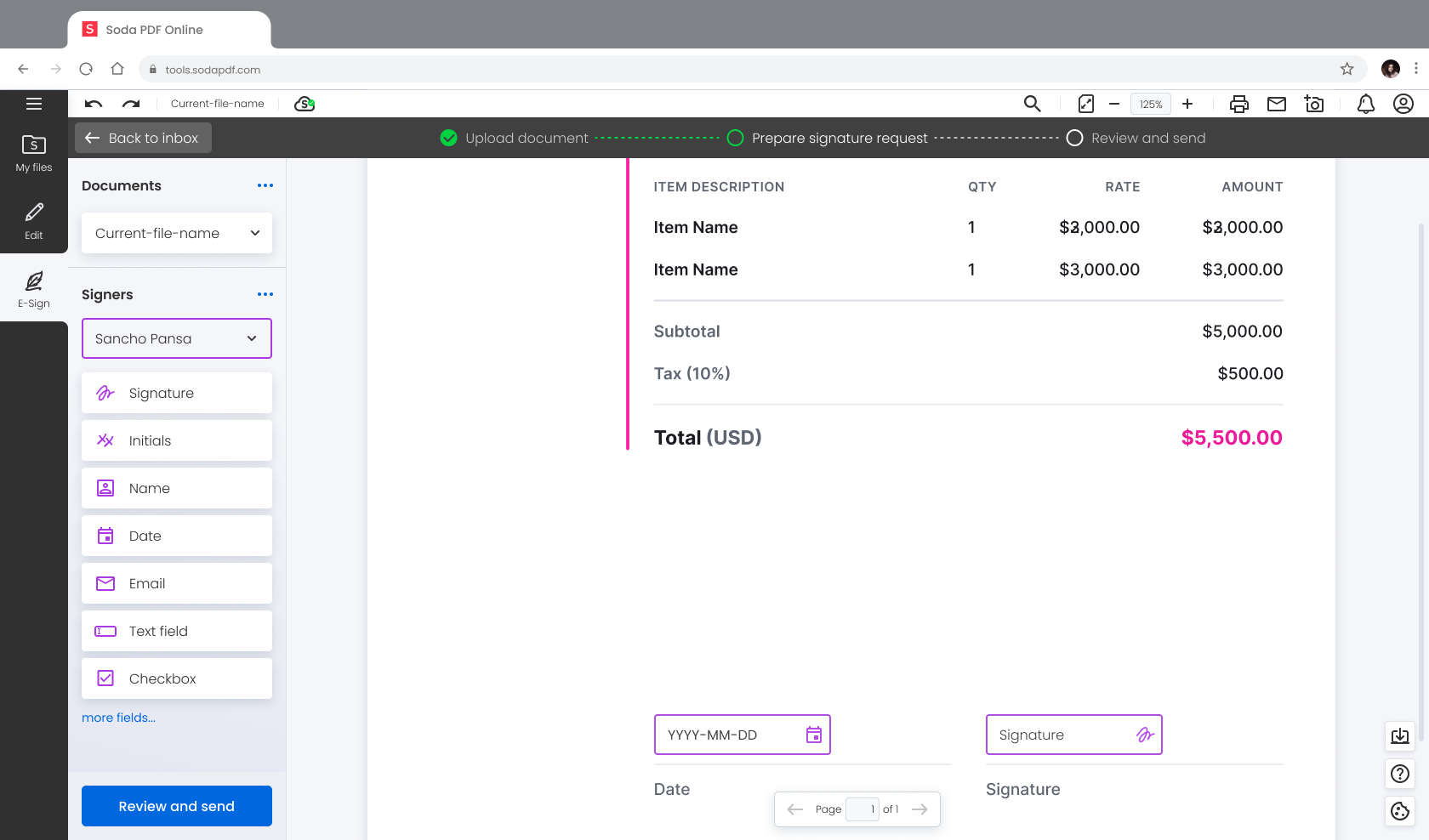
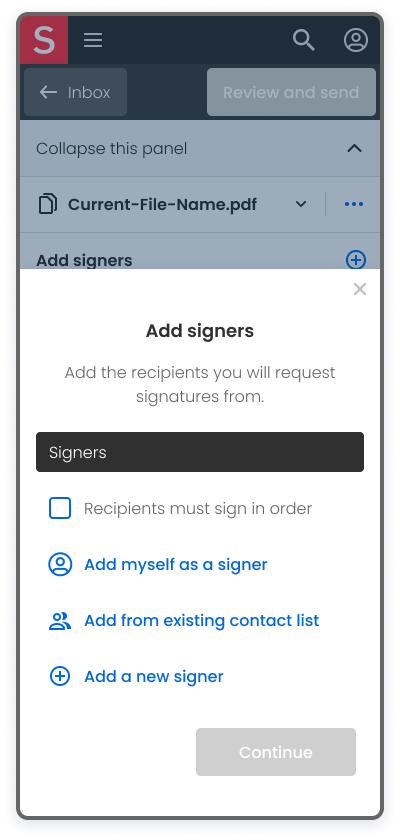
For example, a considerable portion of users weren't aware that they can include more than one document in the same signature envelope. To that end, I reworked the step for adding documents to enhance discoverability and provided the option for users to add extra documents from the side panel during the main stages of the envelope creation process. The manner for adding singers was adjusted to follow the same pattern.
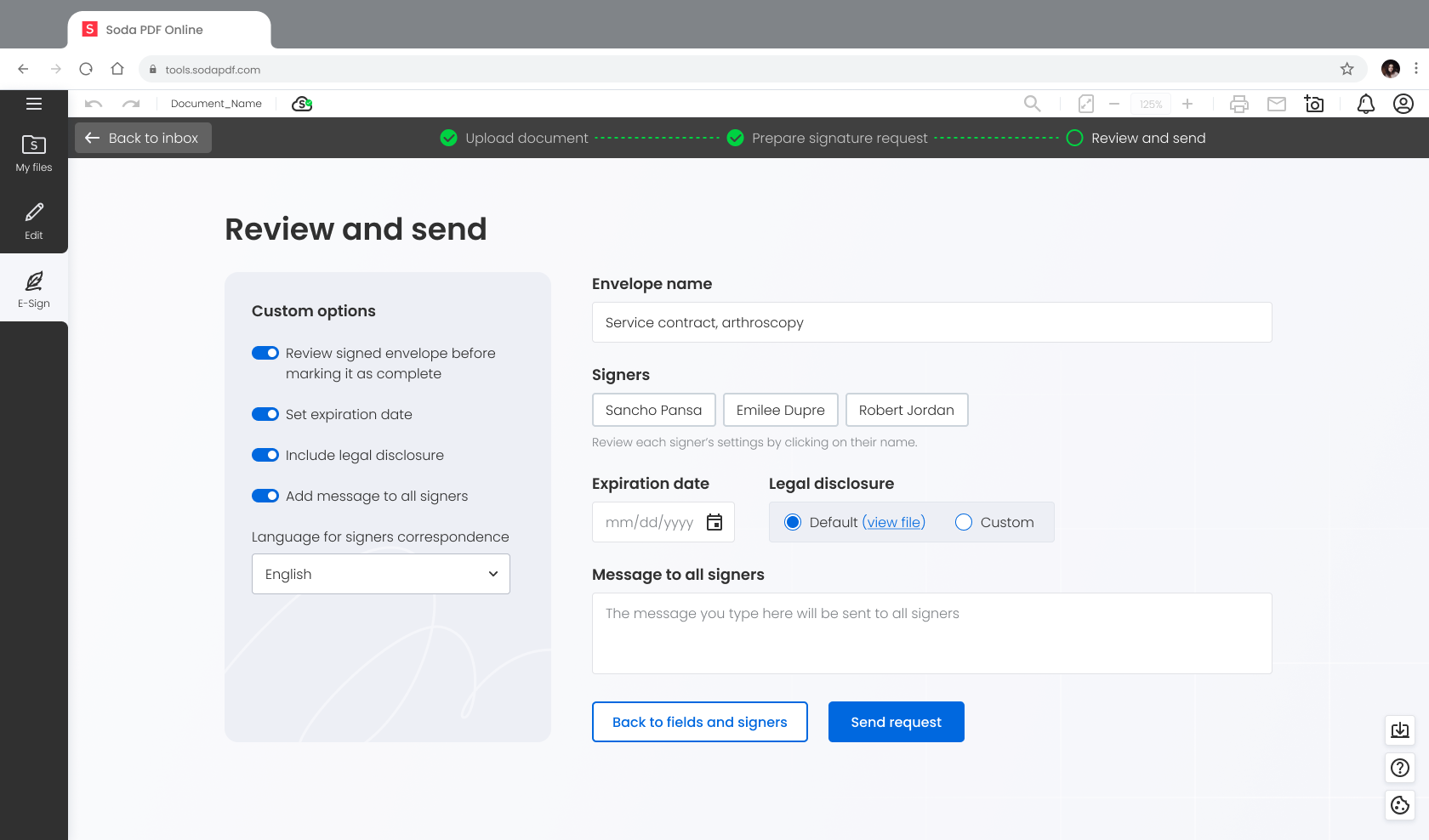
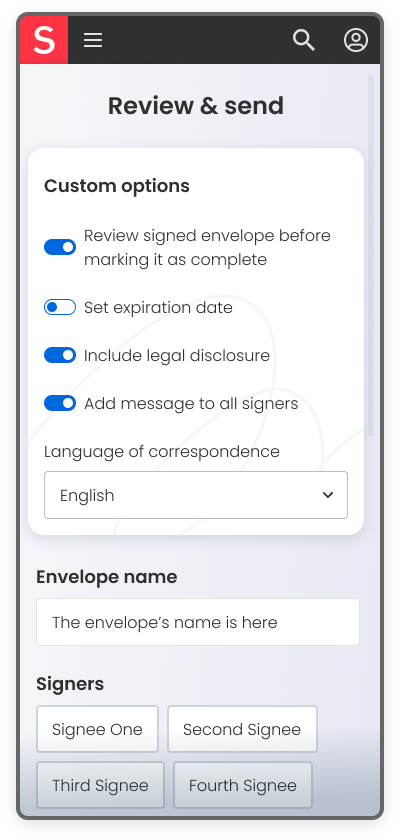
Additionally, I added a review step to allow for a re-cap and final adjustments. That also served to semantically group together certain envelope options that were previously spread throughout the creation process.
E-Sign on mobile
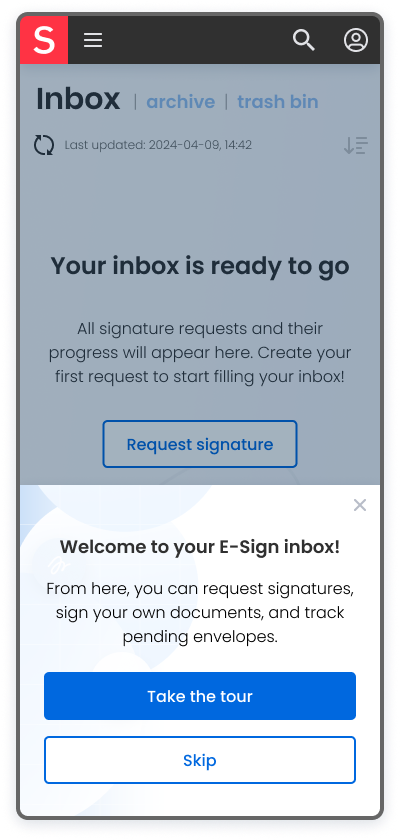
Is PDF is used differently on mobile phones, compared to desktop and laptop or tablet? It was safe to assume that people were way more likely to just sign on mobile than to author a signature request. This was confirmed in the questionnaire I sent to existing users, as well as during user interviews.
However, one could argue that those results were a bit skewed. After all, the option to author was not currently available on mobile to begin with. At the same time, it's unmistakable that creating PDF forms is less attractive on a phone simply because of the nature of the device and the environment it's used in. Nevertheless, use cases and demand for it existed.
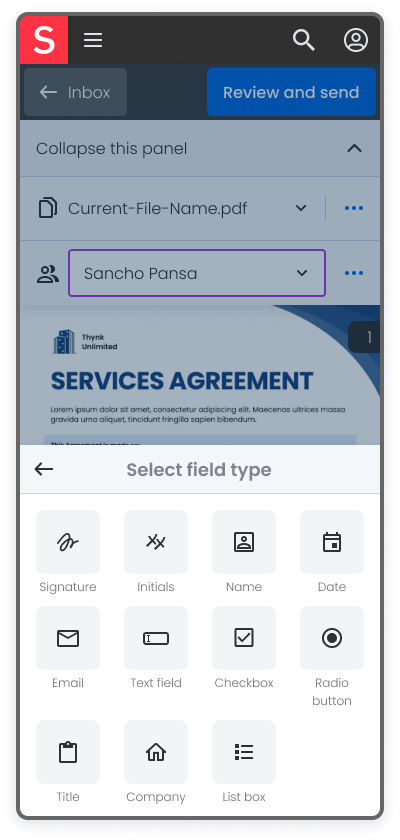
My focused on making it easy to sign any form, as well as to create envelopes that contained simpler forms. At the same time, I tried to make creation of more complex and extensive forms as convenient as possible.
Why I liked this project
Work on e-Sign reinforced for me the value of timely cross-team communication - and also demonstrated it as a means to discover aspects of the product I otherwise may not have been aware of if looking mainly from the design side.
Lessons learned
Discoverability is key. Having amazing features matters little if users are unaware of their existence.
Including developers early in the process was a huge time saver, crucial in defining technical limitations.
Nothing is as effective as communicating directly with users and observing them interact with the product.